Ionic 3 – HTTP Requests – Retrieving a Photo from a Google Place

10 May 2017
WRITTEN BY GARETH DUNNE @JSDIARIES
As I become more comfortable with Ionic 3 and its functionality, I wanted to share how to connect to the Google Maps API, retrieve a specific place and then to request a photo from that requested place.
In doing so, you will then know how define a HTTP object using TypeScript and using ES6 Promises in order to make a callback function that requests the photo using that HTTP object.
This functionality stems from an app that I made called CoffeeTrail.

It’ll be on the iOS store very soon but be sure to check it out on Android here.
Setup Project
As always we can generate our Ionic 3 project using the command
ionic start ionic2-nearby blank --v2We then want to generate our locations provider.
ionic g provider Locations This is a provider that contains all our methods that we will use to request data from Google’s APIs. When you open up this locations provider you will see that the Ionic CLI has automatically injected a HTTP object into the constructor for us.
import { Injectable } from '@angular/core';
import { Http } from '@angular/http';
import 'rxjs/add/operator/map';

@Injectable()
export class Locations {

  constructor(public http: Http) {

  }
  }
This is the object we will be using to make the requests.
We will also generate a location-details component that will display our requested images.
ionic g page location-detailsAPI Key
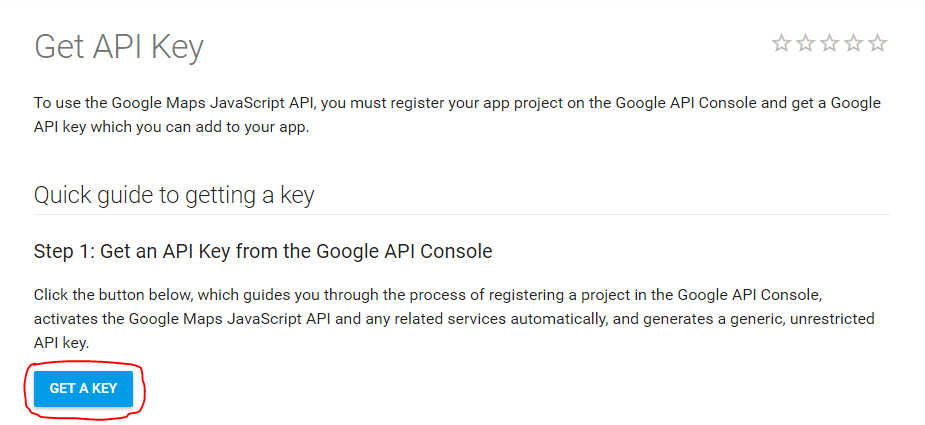
In order to have access to multiple API calls in our app we need to request a developer API key for Google Maps.
You can generate one by going to this page and clicking Get A Key , This is required for all place and photo requests and won’t work without one.
Get Place
We will create a getLocation method that will accept latitude and longitude as parameters.
import { Injectable } from '@angular/core';
import { Http } from '@angular/http';
import 'rxjs/add/operator/map';

@Injectable()
export class Locations {

  constructor(public http: Http) {

  }

  data: any;
  lat: number;
  long: number;
  radius: number;
  coords: string;
  apiKey : string

  getLocation(lat, lng) {
    this.coords
    this.radius= 500;

    return new Promise(resolve => {

      this.http.request('https://maps.googleapis.com/maps/api/place/nearbysearch/json?location=' + this.coords + '&radius=' + this.radius + '&type=cafe&key=' + this.apiKey)
        .map(res => res.json()).subscribe(data => {
          console.log(data.results);
          this.data = data.results;

          resolve(this.data);
        });
    });
  }
We utilize a ES6 JavaScript Promise that will use the http object created in our constructor in order to make the request along with the details of the location which you can change for your own personal preferences.
You will of course have to reference the API key that you created earlier on in the apiKey variable of type string..
  getLocation(lat, lng) {
    this.coords
    this.radius= 500;

    return new Promise(resolve => {
      this.http.request('https://maps.googleapis.com/maps/api/place/nearbysearch/json?location=' + this.coords + '&radius=' + this.radius + '&type=cafe&key=' + this.apiKey)
        .map(res => res.json()).subscribe(data => {
          console.log(data.results);
          this.data = data.results;

          resolve(this.data);

        });
This Promise will return true or resolve when the the request has been completed and the data has been returned. The results of the data is mapped to a new json object which we assign to the this.data variable through ES6’s arrow functions .
This data will be resolved/returned when we call it in our location-details file.
We also can add the getPhoto method.
  getPhoto(reference: string) {
    console.log(reference);
    console.log('https://maps.googleapis.com/maps/api/place/photo?maxwidth=400&' + reference + '&key=AIzaSyD9DG-l3nQM0seilByyK4ye58nU7YayA38')
    return new Promise(resolve => {
      this.http.request('https://maps.googleapis.com/maps/api/place/photo?maxwidth=400&' + reference + '&key=AIzaSyD9DG-l3nQM0seilByyK4ye58nU7YayA38').subscribe(data => {
        console.log(data.url);
        resolve(data.url);

      })
    });
  }
This will take in a photo reference string as a parameter in order to a retrieve a specific photo based on the location from the locations/location returned from our getLocation method.
So how do we get the photo reference from the data set returned from getLocation? Well we can do this in the locations-list file.
Display Photo
Our location-details.html file should look like this to display the retrieved image of the location.
Location Details

No image available for location.
Notice how we use the async pipe with the current image template variable.
This is because some asynchronous data objects can be a bit tricky to display without async pipe. The data source is an Observable that contains an array so using the async pipe secures it so to speak.
We then use the ng-template (which is new to Angular 4) syntax to display error text if no image can be retrieved.
No image available for location.
So in our location.details.ts file we need to use our getLocation method in order to get a place and then to send a photo reference from that place to the getPhoto method.
import { Component } from '@angular/core';
import { NavParams, ViewController, LoadingController, IonicPage } from 'ionic-angular';

import { Locations } from '../../providers/locations';

@IonicPage()
@Component({
  selector: 'page-location-details',
  templateUrl: 'location-details.html'
})


export class LocationDetailsPage {
  place: any;
  currentImg: any;
  photoRef: string;
  link: string;
  constructor(private navParams: NavParams, private locations: Locations, public loadingCtrl: LoadingController) {

    //custom lat and long
    this.place = this.locations.getLocation(23.5, 43.5);

    this.link = this.place.link;

    // WE GET OUR PHOTO REFERENCE HERE
    this.photoRef = "photoreference=" + this.place.photos[0].photo_reference;

  }


  ionViewDidLoad() {
    this.currentImg = this.locations.getPhoto(this.photoRef).then(function (retrievedImage) {
      return retrievedImage;
    })
  }
}
This is just one way to retrieve data from an API in an Ionic application. The use of Angular 4 in an Ionic 3 project enables a developer to makes a request for some data and then to easily share that data throughout the rest of the components using a service or in this case, using our location.ts. provider.
Gareth Dunne
Full Stack Developer and creator of JSdiaries. Passionate about the latest in web technologies and how it can provide value for my clients.